How to create different types of workflows in AssaySmarfs?
Though AssaySmarfs is primarily designed for managing protocols, by utilising its hiearchical nature of the different type of elements, you can create different workflow types to suit your various workflows needs.
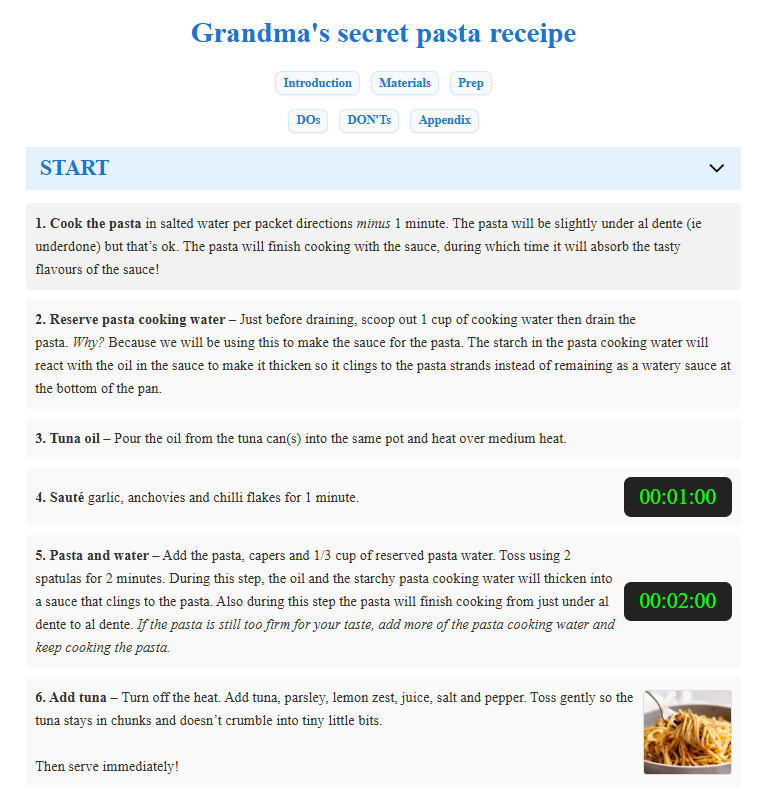
Not only lab protocols but any kind of protocols
In AssaySmarfs, you can create any kind of protocols, not just complex lab protocols. For example, you can create a cooking recipe. Bottom line is, if you can break down your workflow into a series of steps, you can create a protocol for it in AssaySmarfs.
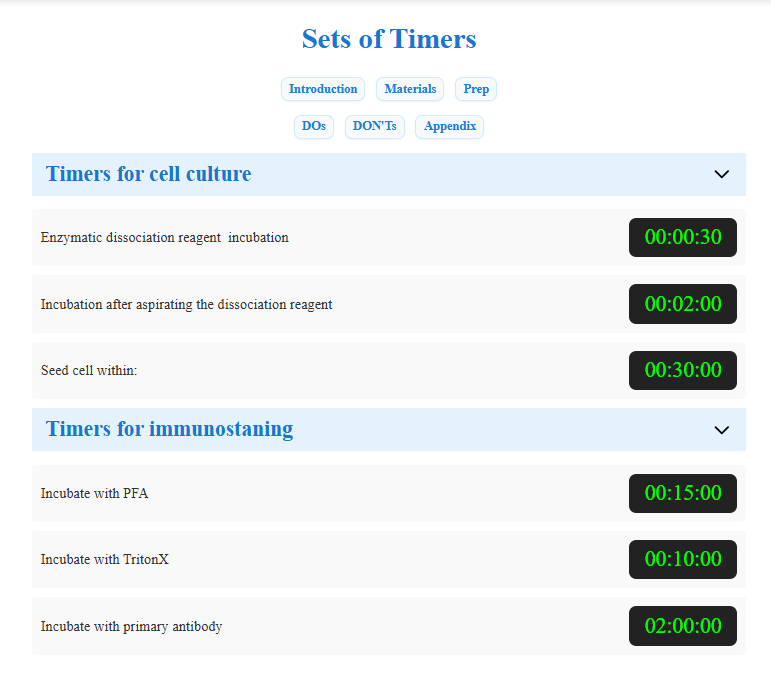
Create a set of timers
Under one process title or different process titles, you can create as many timers as you want. These timers are independent of each other. You can set the duration in hours, minutes, and seconds. Once configured, the timer will be available directly within the protocol execution view.
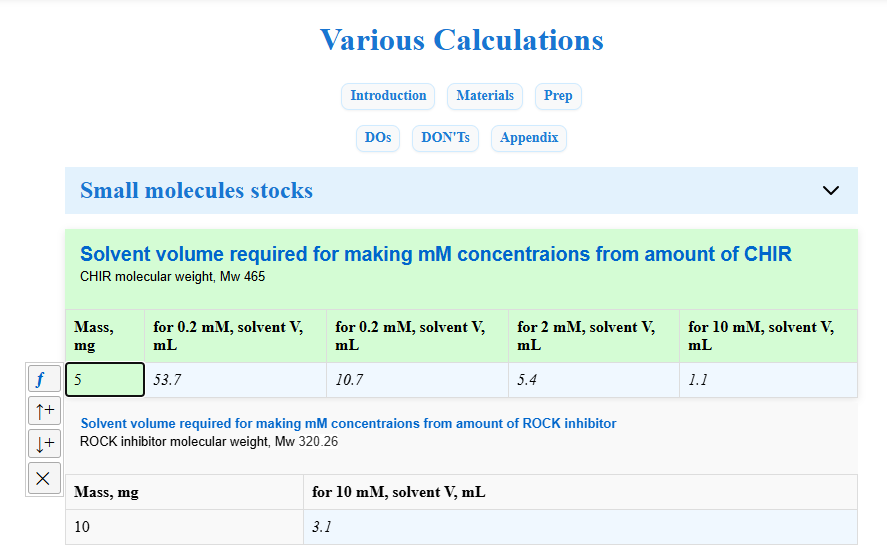
Create a set of tables for calculations
To execute any protocols, routinely, we have to prepare soltion or reagents with desired concentraion. You can create any number of tables in AssaySmarfs for automatically calculating reagents amounts, concentrations, and other values. You can access these tables anytime in any devices, rather than sweating over calculator or waiting to heavy-load Excel open up (it is like using missile to kill a mosquito).